Hand the repetitive drawing of facade fabrication to a robot.
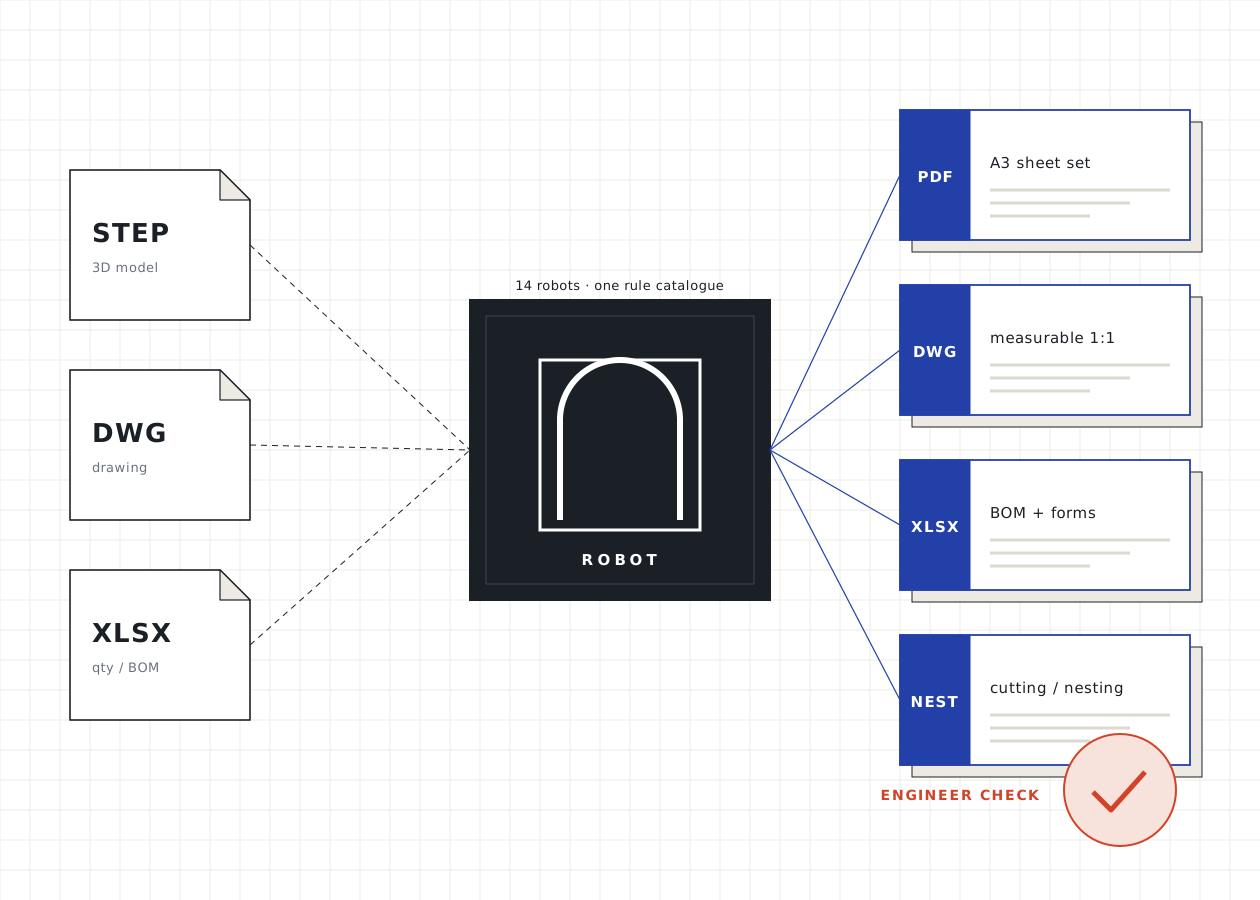
Fourteen robots trained on the rules of 19 years in facades. Send your model, drawing or spreadsheet; get back fabrication sheets, a measurable DWG, cutting and nesting plans, a bill of materials or a bid file.
- Robots
- 14 · 4 ready
- Input
- STEP · DWG · XLSX
- Output
- PDF · DWG · XLSX
- Check
- Engineer, every time
Each one does one job very well
From anchors to sheet, from profiles to tenders: each robot works in its own field, but all share the same rules, the same sheet engine and the same check step. Common rule: AutoCAD 2D / 3D or STEP goes in; PDF + DWG sheets and Excel work-request and order forms come out.
Ready live; your file goes straight to the robot. In training being tested on approved past jobs; work in these fields is run with an engineer for now.
Steel Anchor Robot
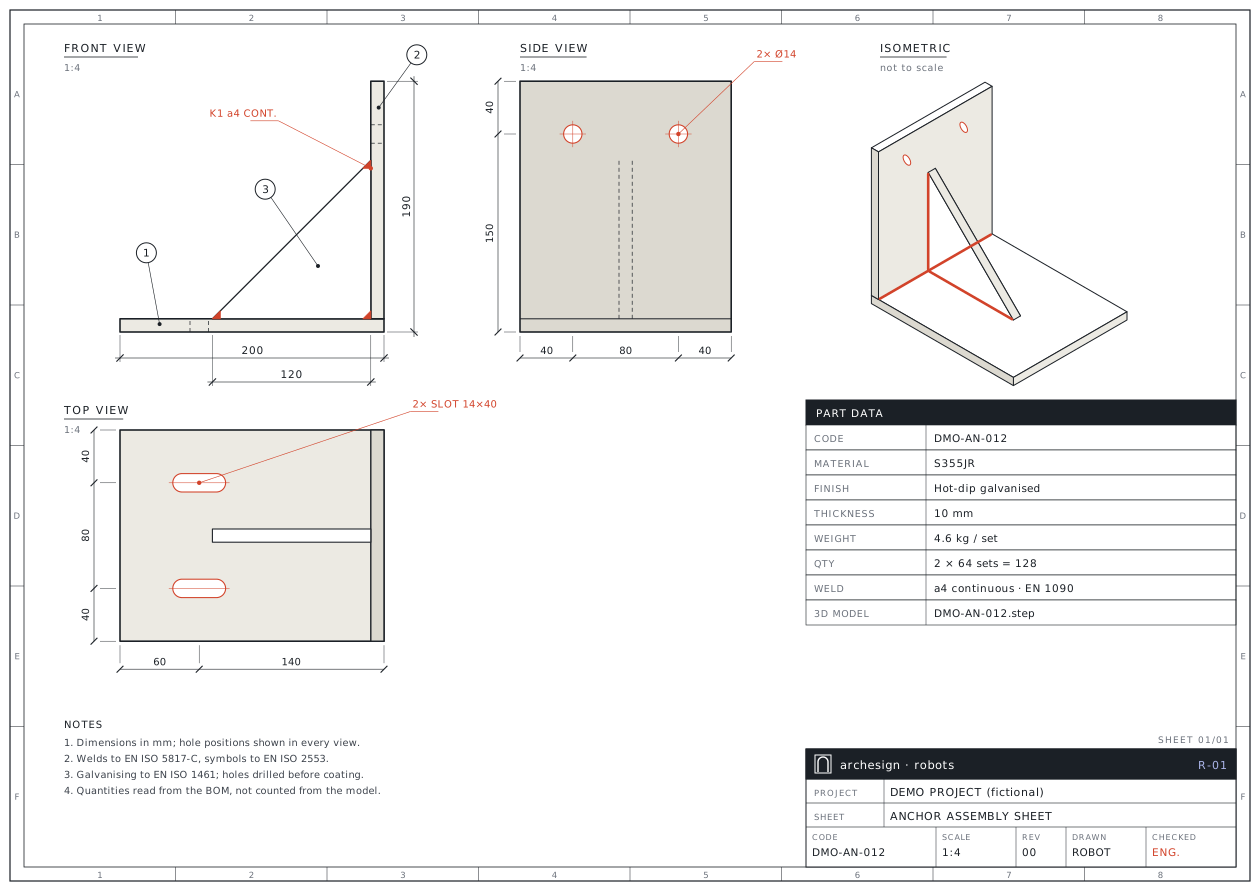
A3 fabrication sets, laser DXF and request forms for welded steel anchors, from STEP assemblies and a BOM.
- Input
- STEP · XLSX
- Output
- PDF · DXF · DWG · XLSX
Aluminium Sheet Robot
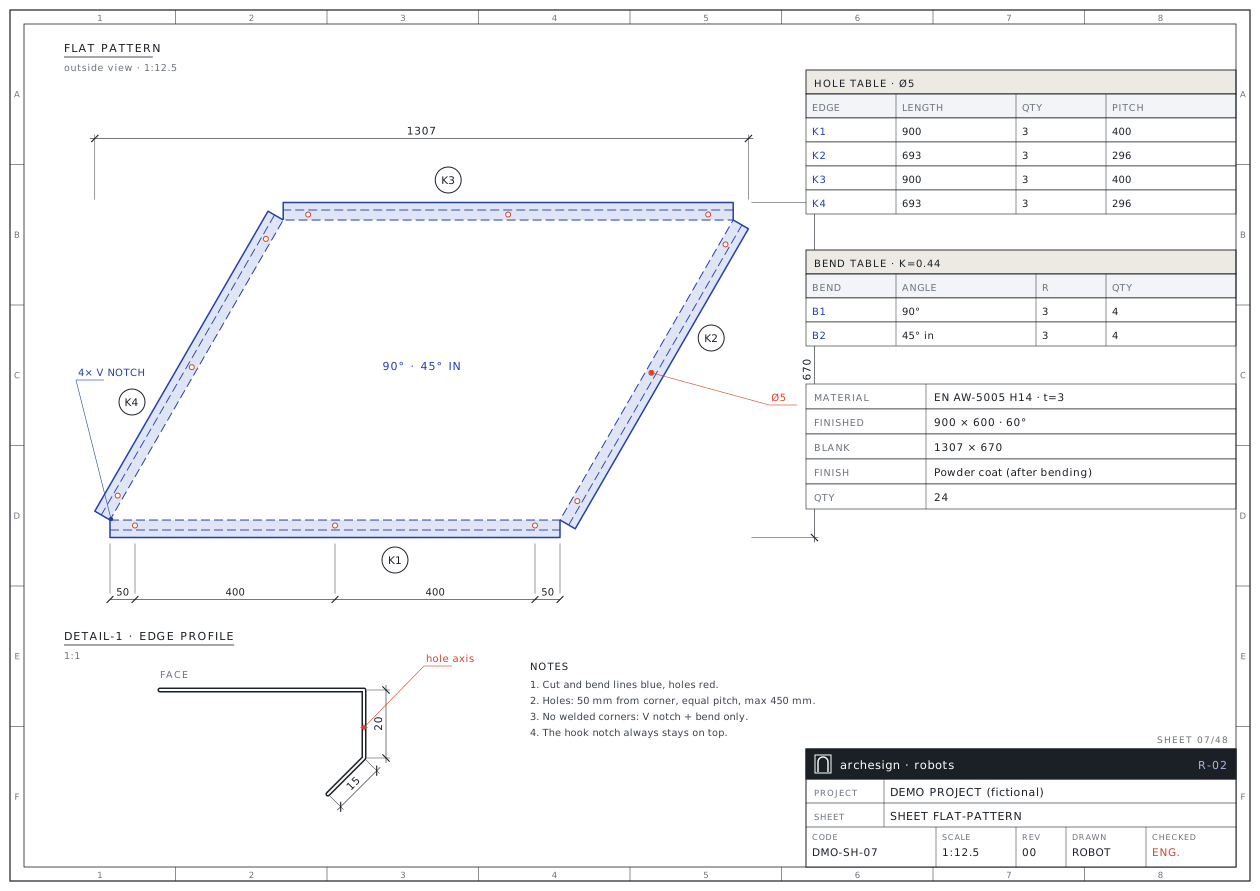
Flat-pattern sheets, bend and hole tables, sheet-size sweeps and nesting from STEP sheet models.
- Input
- STEP · DWG · XLSX
- Output
- PDF · DXF · DWG · XLSX
Composite Robot
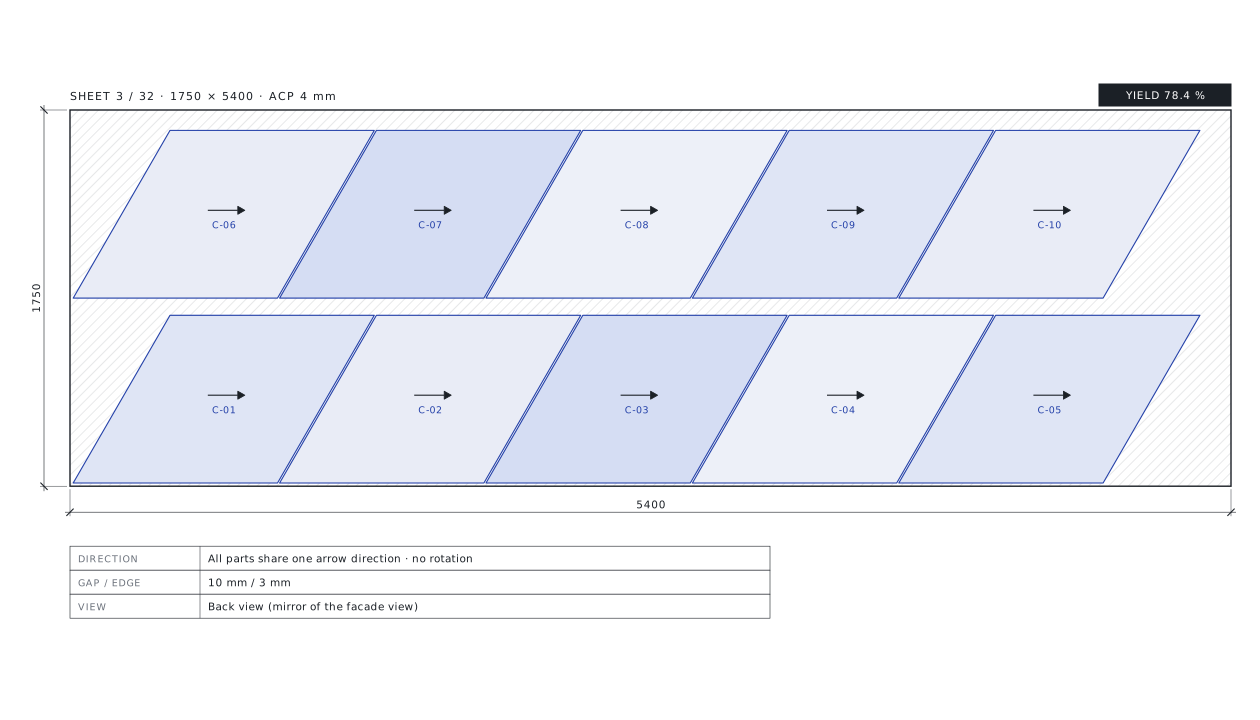
Type sheets, direction-safe nesting, sheet-size sweeps and order forms from ACP blanks.
- Input
- DWG · XLSX
- Output
- PDF · DXF · DWG · XLSX
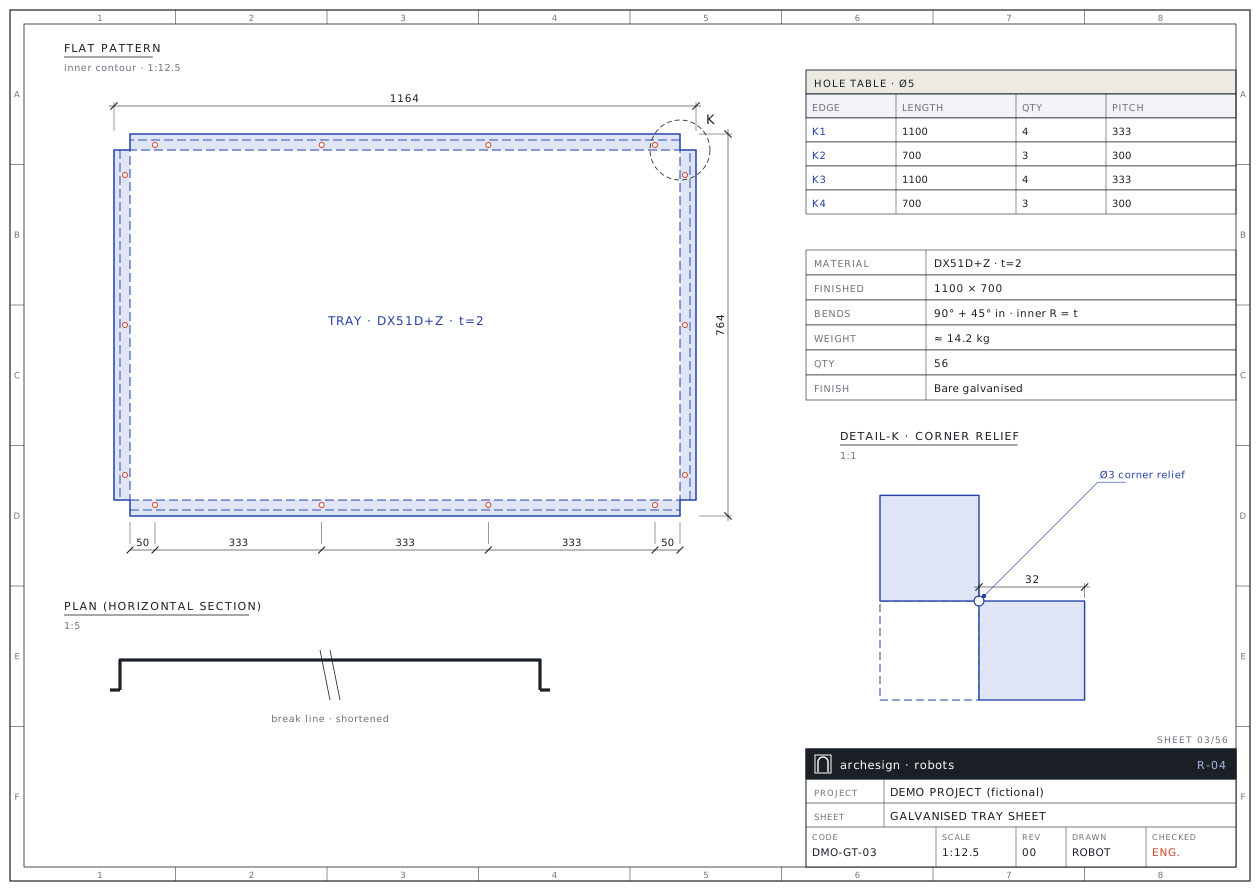
Galvanised Sheet Robot
Galvanised tray blanks, coil-width checks, splice proposals and coil/sheet optimisation.
- Input
- DWG · STEP · XLSX
- Output
- PDF · DXF · DWG · XLSX
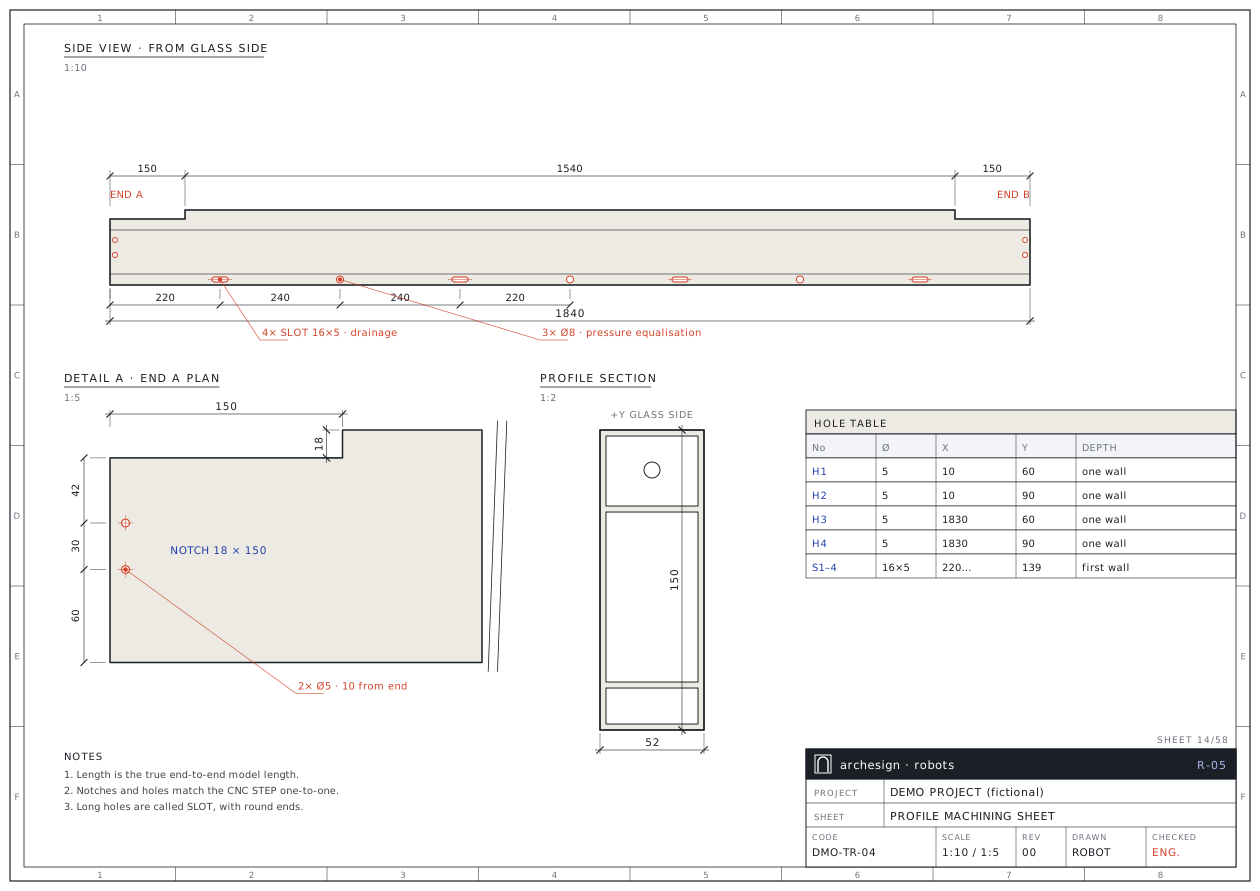
Profile Robot
Fabrication sheets, drilled CNC STEP files, cut optimisation and an ERP-coded BOM from transom and mullion STEPs.
- Input
- STEP · XLSX
- Output
- PDF · DWG · STEP · XLSX
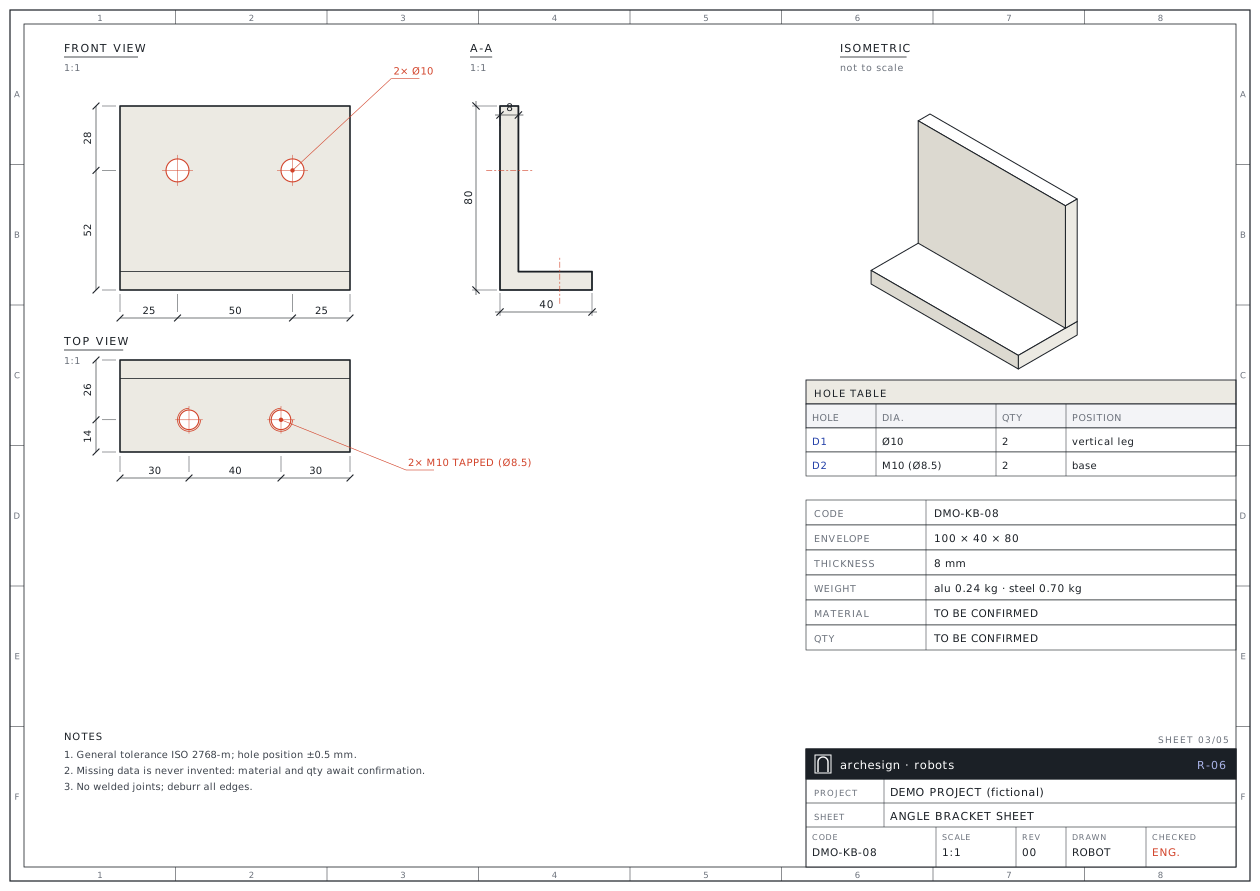
Angle Bracket Robot
L-angle sheets, bend blanks, sheet nesting and laser DXF from undimensioned 3D solids.
- Input
- DWG (3D) · STEP
- Output
- PDF · DXF · DWG · XLSX
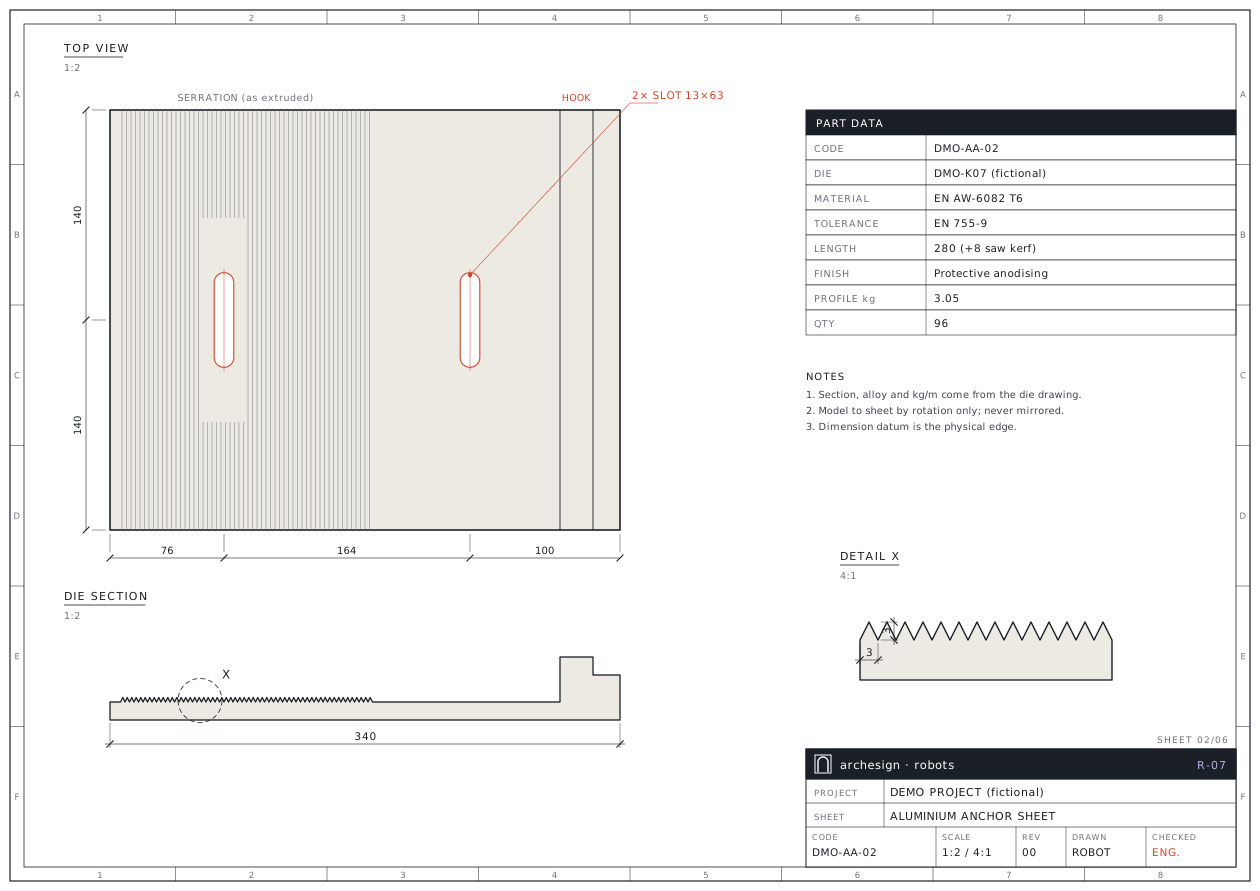
Aluminium Anchor Robot
Sheets from the die drawing, slot dimensions and 6 m length-cut optimisation for extruded anchor plates.
- Input
- DWG · STEP · XLSX
- Output
- PDF · DXF · DWG · XLSX
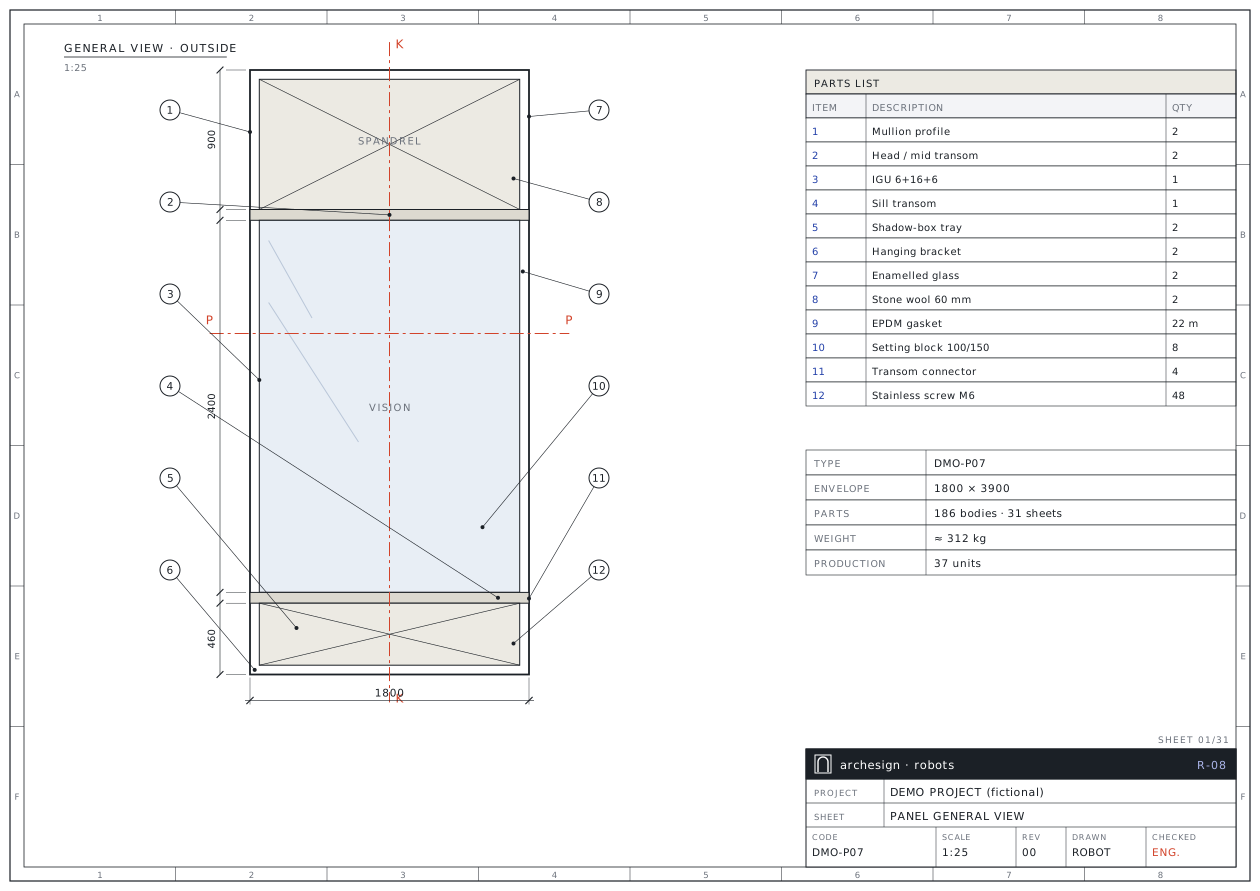
Panel Robot
Assembly and section sheets, part pages, GRC and rail parts, sheet nesting, BOM and 3D check from a facade panel STEP.
- Input
- STEP · XLSX
- Output
- PDF · DXF · DWG · XLSX
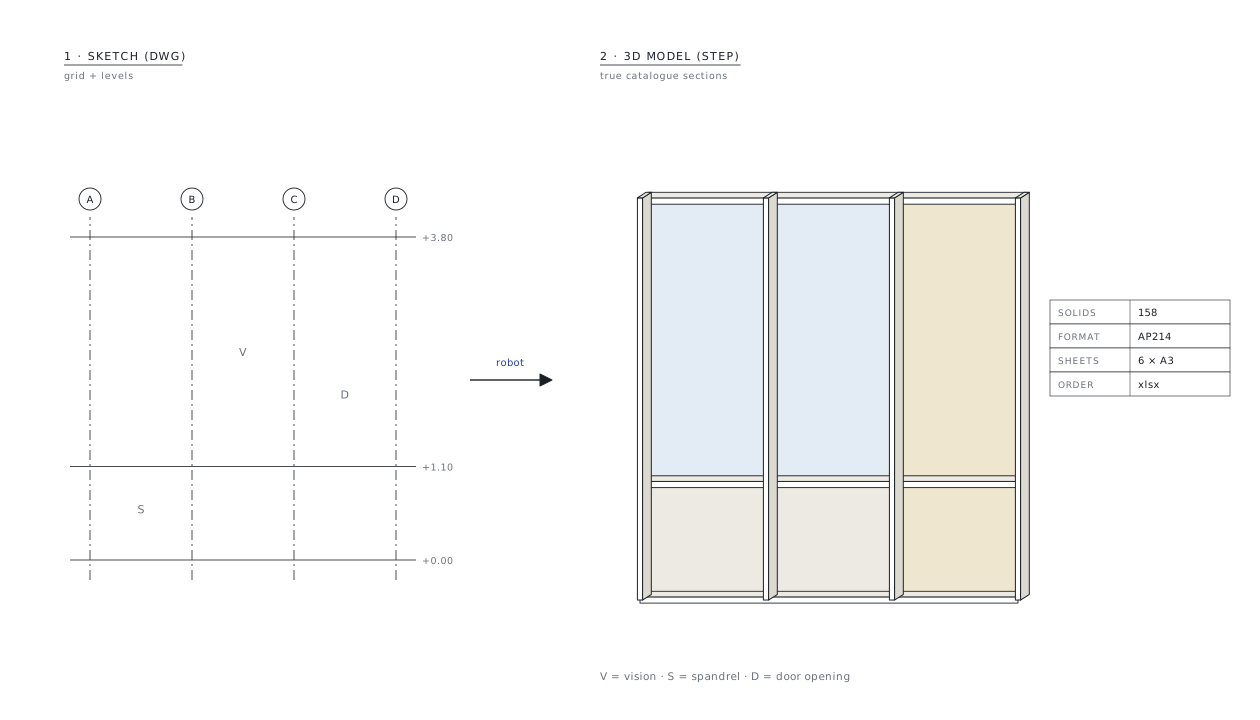
Stick Facade Robot
A 3D stick model with real sections, shop drawings, fabrication sheets and a bar-optimised order from a 2D sketch.
- Input
- DWG · PDF · XLSX
- Output
- STEP · PDF · DWG · XLSX
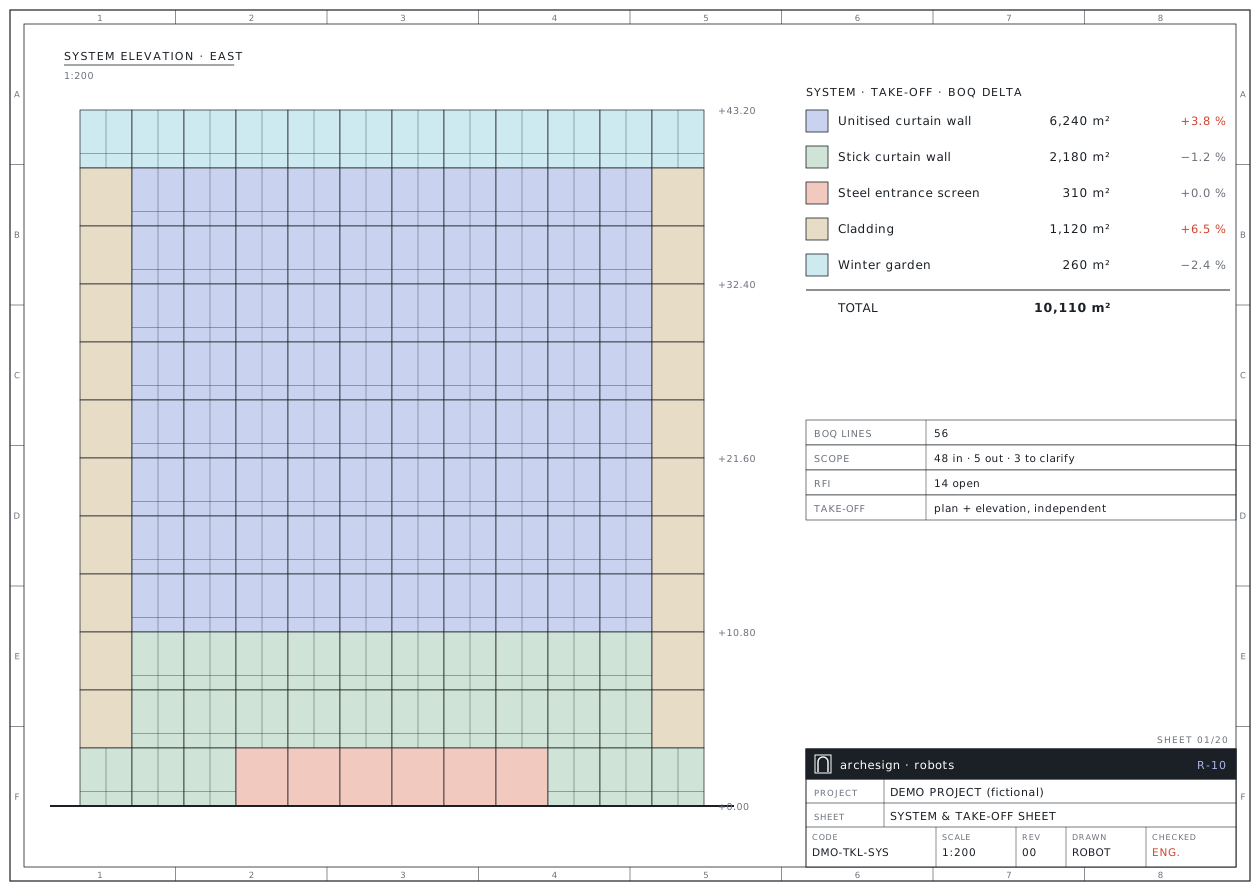
Tender Robot
Independent take-off, a formula-driven cost model, a bid package in the client's language, technical appendices and presentation.
- Input
- DWG · PDF · XLSX
- Output
- XLSX · PDF · DWG · 3D
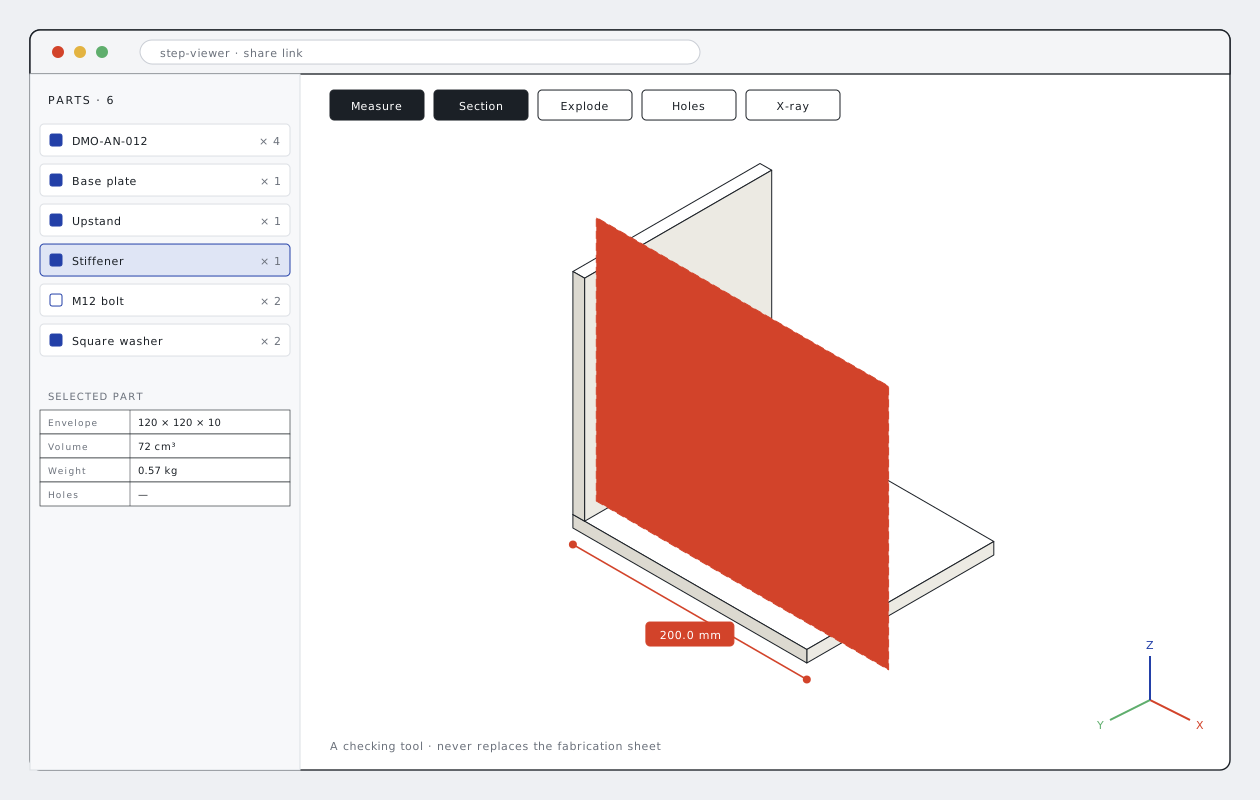
STEP Viewer
Opens STEP files from a share link in the browser; measure, section, explode and parts list.
- Input
- STEP (link)
- Output
- 3D in the browser
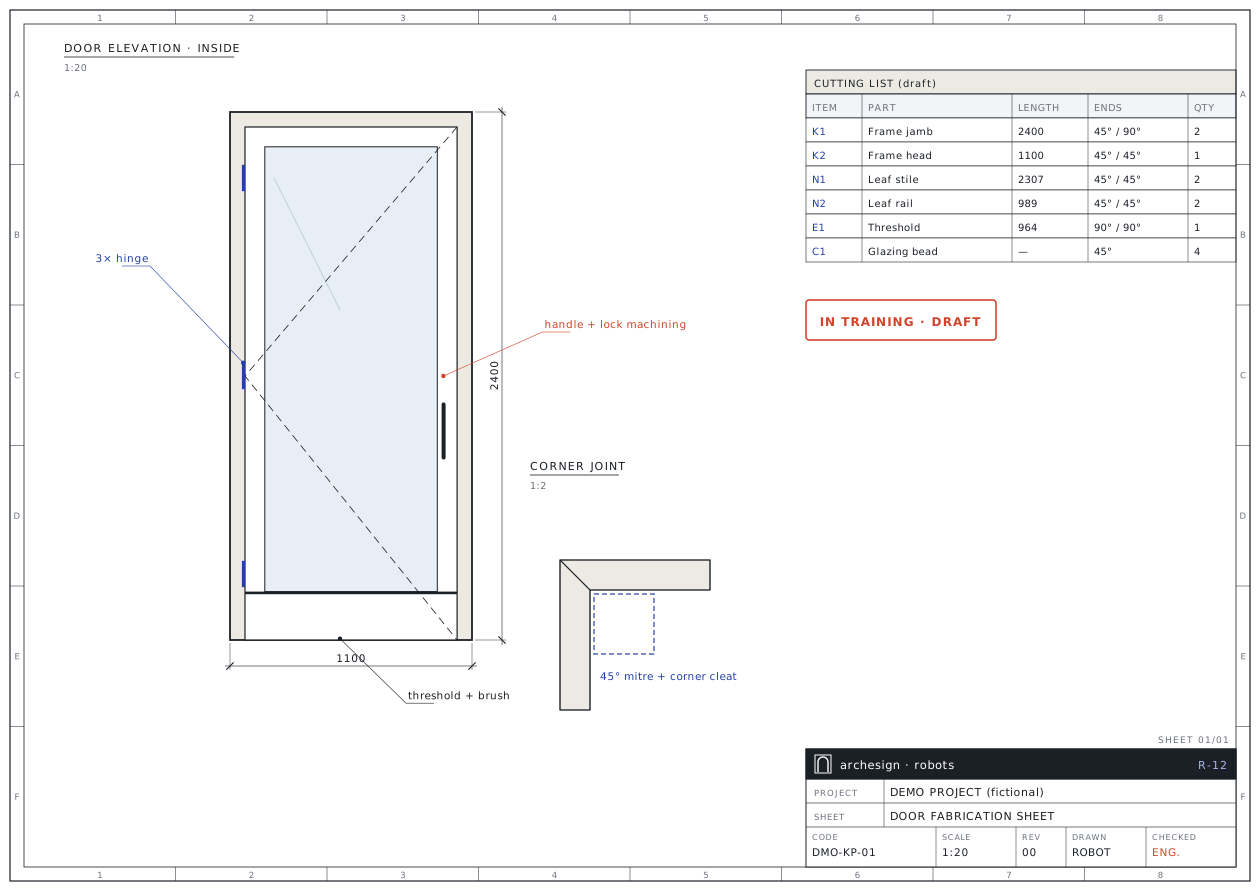
Door Robot
Aluminium doors: cutting list, corner joints, threshold, lock and hinge machining, fabrication sheet.
- Input
- DWG · STEP · XLSX
- Output
- PDF · DWG · XLSX
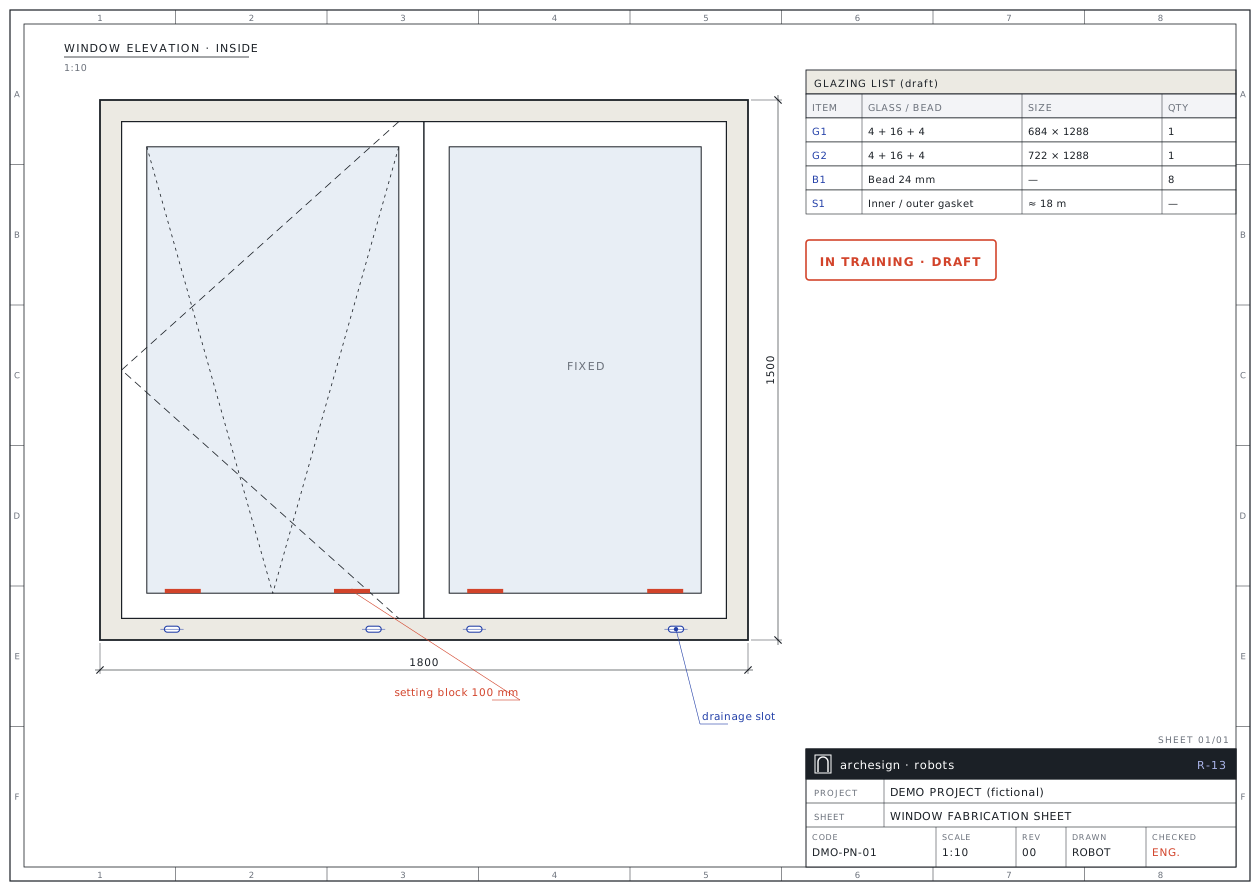
Window Robot
Aluminium windows: cutting list, corner joints, drainage, glazing and setting blocks, fabrication sheet.
- Input
- DWG · STEP · XLSX
- Output
- PDF · DWG · XLSX
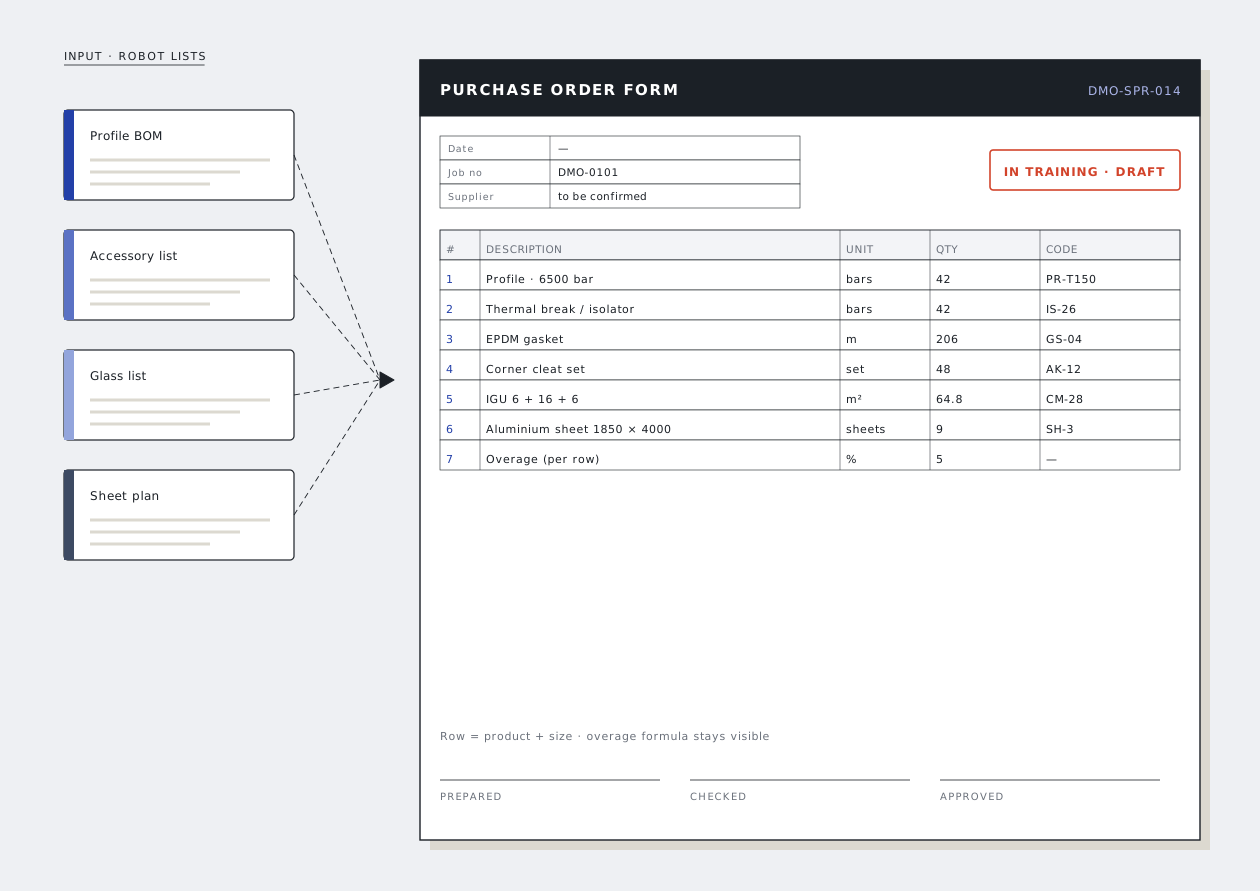
Order Robot
Profile, accessory, glass and sheet orders: order form, work-request form and order list.
- Input
- XLSX · lists
- Output
- XLSX · PDF
Send your file, get a fabrication-ready package
Send
Model, drawing or list: STEP, DWG, XLSX, PDF. Add a short note on quantities, finish and title block.
The robot works
Files are read, parts recognised and measured; sheets, lists and optimisation are produced. Anything uncertain is set aside as a question.
An engineer checks
A facade engineer reviews the check report and the questions, and asks you when needed. No set leaves unchecked.
Delivery
A revision-numbered package: PDF set, measurable DXF/DWG, Excel forms and a check report. On revisions only the difference is rebuilt.
How the robot thinks
Speed alone is not the point. These principles exist so the output works in the workshop without surprises.
- 01
No silent guessing
An uncertain part is not produced; it comes back to you as a question with a proposal. While a question is open the set is stamped "incomplete".
- 02
Quantities from the list, geometry from the model
Quantities and materials are read from the BOM; the model is only geometry. Conflicts are reported.
- 03
Dimensions in every view
Every view that shows a hole carries a callout and two-axis dimensions; every part carries its code and quantity.
- 04
Zero text clashes
Text, dimensions and balloons are scanned by program; a single clash stops the delivery.
- 05
Revision discipline
Starts at REV00; file name, title block and forms change together. Old versions are archived, never overwritten.
- 06
Tested against approved sets
Previously approved sets are rebuilt by the robot and the numbers compared one-to-one.
Studio
“These robots were not born in a software company, but on the engineering desk of a facade factory.”
archesign is the studio of an architect with 19 years in the facade industry. The robots were built on real fabrication jobs with real workshop feedback: every mistake became a rule, every rule a test.
- 19years in facades
- 14robots
- A3sheets in your standard
General questions
Do you install the robots on our computers?
No. It runs as a service: you send your files and receive a processed, checked package. The software and rules stay with us, so there is nothing for you to maintain.
Why are there no prices on the site?
Every job is different: the number of anchor types, sheets or the bid scope drive the effort. Your first file is processed free; after you see the output you get a quote for the full job.
Are our files safe?
Your files are used for your job only, never shared with third parties and never shown on the site or in samples.
Is it fully automatic?
Calculations, drawings and lists are produced automatically, but every set is checked by a facade engineer before delivery. Uncertain points are not guessed; you are asked.
Can you use our own title block and standards?
Yes. On the first job we take your title block, layer list and form templates; every later set follows them.
What happens on a revision?
The changed model is reprocessed, a new REV number is issued and a revision report lists added, removed, re-shaped and re-counted parts.
Send your first file to the robot
Send one assembly, one sheet type or one bid package. We send back the sample output and a quote for the full job.
- 01Your first file is processed free of charge as a sample.
- 02After reviewing the output you get a quote for the full job.
- 03Your files stay confidential and are used for your job only.
- 04We can work with your own title block and layer standard.