STEP Viewer
Opens STEP models from a share link in the browser, with nothing to install: measure, section, explode, hole highlighting and a parts list.
- Input
- STEP share link
- Output
- 3D in the browser
- Install
- None
- Status
- Ready
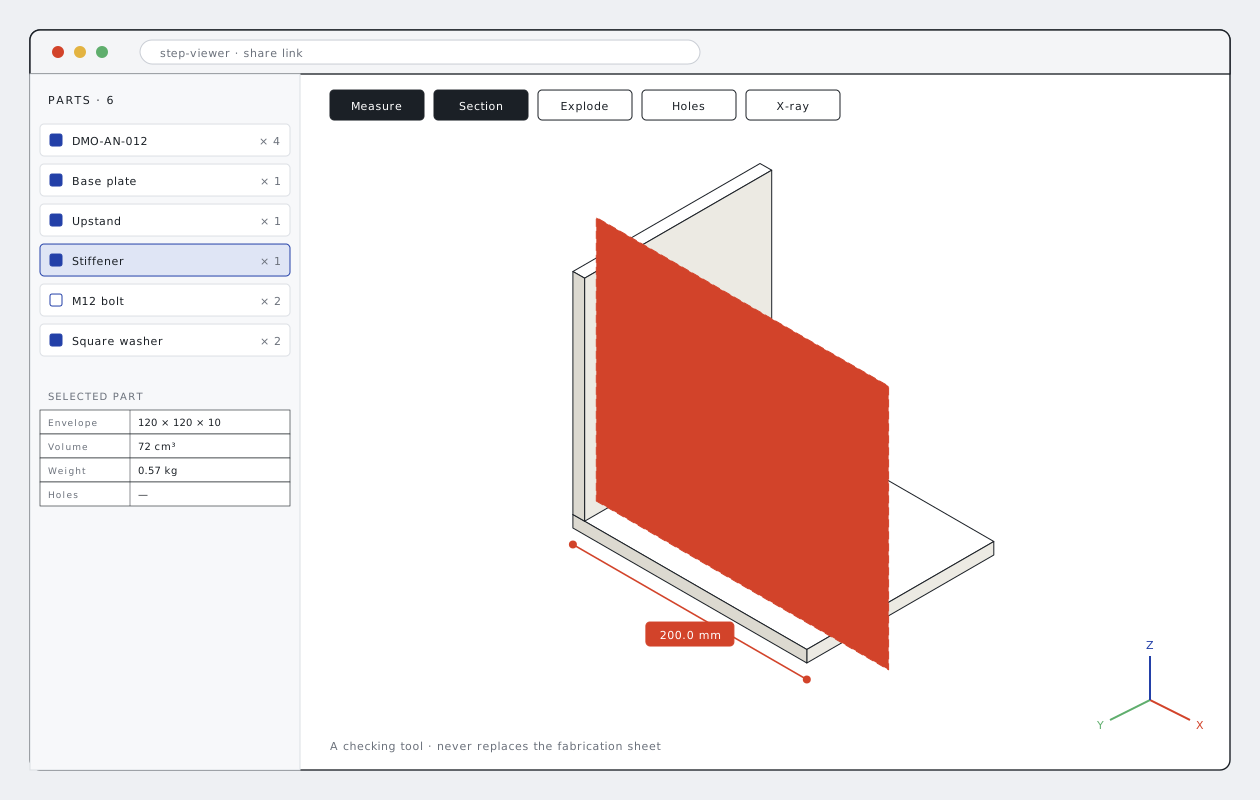
Look at the model together, no software needed
Workshops, sites and purchasing often have no CAD software to open a 3D model. Files go back and forth just to see what an assembly looks like or where a hole is.
The STEP Viewer opens the STEP files in a share link right in the browser. Nothing to install; it works on phones too. Parts are listed, distances measured; section and exploded views, hole highlighting and the parts list sit on one screen.
The viewer is a checking and communication tool; it never replaces the fabrication sheet. Fabrication always follows the dimensioned drawing.
What you send, what you get back
Your files come in as they are; the output goes out in the form the workshop, purchasing and site teams use directly.
You send
- LINKShare linkShare link of the folder holding the STEP files.
- STEPModelsAssembly or single-part files.
You get
- 3DModel in the browserRotate, zoom and select parts.
- MEASMeasure and sectionPoint-to-point distance, section plane, exploded view.
- LISTParts listParts in the file and their quantities.
This is what the output looks like
The drawings below come from a fictional demo project. Real client drawings and codes are never shown here.
Whose work this robot makes easier
- 01
Workshop
See the part on the sheet in 3D.
- 02
Site
Check the assembly on a phone.
- 03
Purchasing
See the parts list and quantities.
- 04
Clients and consultants
Check a model without CAD software.
Send your first file to the robot
Send one assembly, one sheet type or one bid package. We send back the sample output and a quote for the full job.
- 01Your first file is processed free of charge as a sample.
- 02After reviewing the output you get a quote for the full job.
- 03Your files stay confidential and are used for your job only.
- 04We can work with your own title block and layer standard.
Frequently asked questions
Do I need to install anything?
No. The viewer runs in the browser, on phones too.
Which files open?
STEP files in a Yandex Disk share link. Sharing the link is enough.
Can it replace the fabrication sheet?
No. The viewer is a checking and communication tool; fabrication always follows the dimensioned sheet.
How do I get access?
Write to us through the demo form and we will send you the access details.