Shop Drawing Robot
Turns models dropped into a folder or web page into shop drawing sets on its own, and reports questions and finished jobs by email.
- Input
- STEP + job card
- Output
- Sheet set + forms
- Notice
- Status
- Ready
The robots' shared workbench
The Shop Drawing Robot is not a single fabrication robot but the platform the robots run on. The team drops a job folder into a shared folder or a web form; the platform queues it, hands it to the right robot and writes the result into a revision-numbered folder.
No silent guessing: an uncertain part is not produced; it comes back as a question with a proposal. While a question is open the set is stamped "incomplete – not for fabrication". Every delivery comes with a check report: sheet count, open questions, warnings and text clashes.
Today the anchor and profile families run live on this platform; the other robots join it as they finish training.
Input and output
The robot takes files as they are; the output comes out in the form the workshop, purchasing and site teams use directly.
Input
- STEPModelsAssembly and part files.
- XLSXQuantities / BOMSet quantities, materials and fixings.
- TXTJob cardType, job number, requester, notes and answers to questions.
Output
- PDFSheet setOne revision-numbered PDF, 1:1 DXF and DWG.
- XLSXForms and logWork and material requests, fabrication log.
- PDFCheck reportSheets, questions, warnings, rule numbers, revision differences.
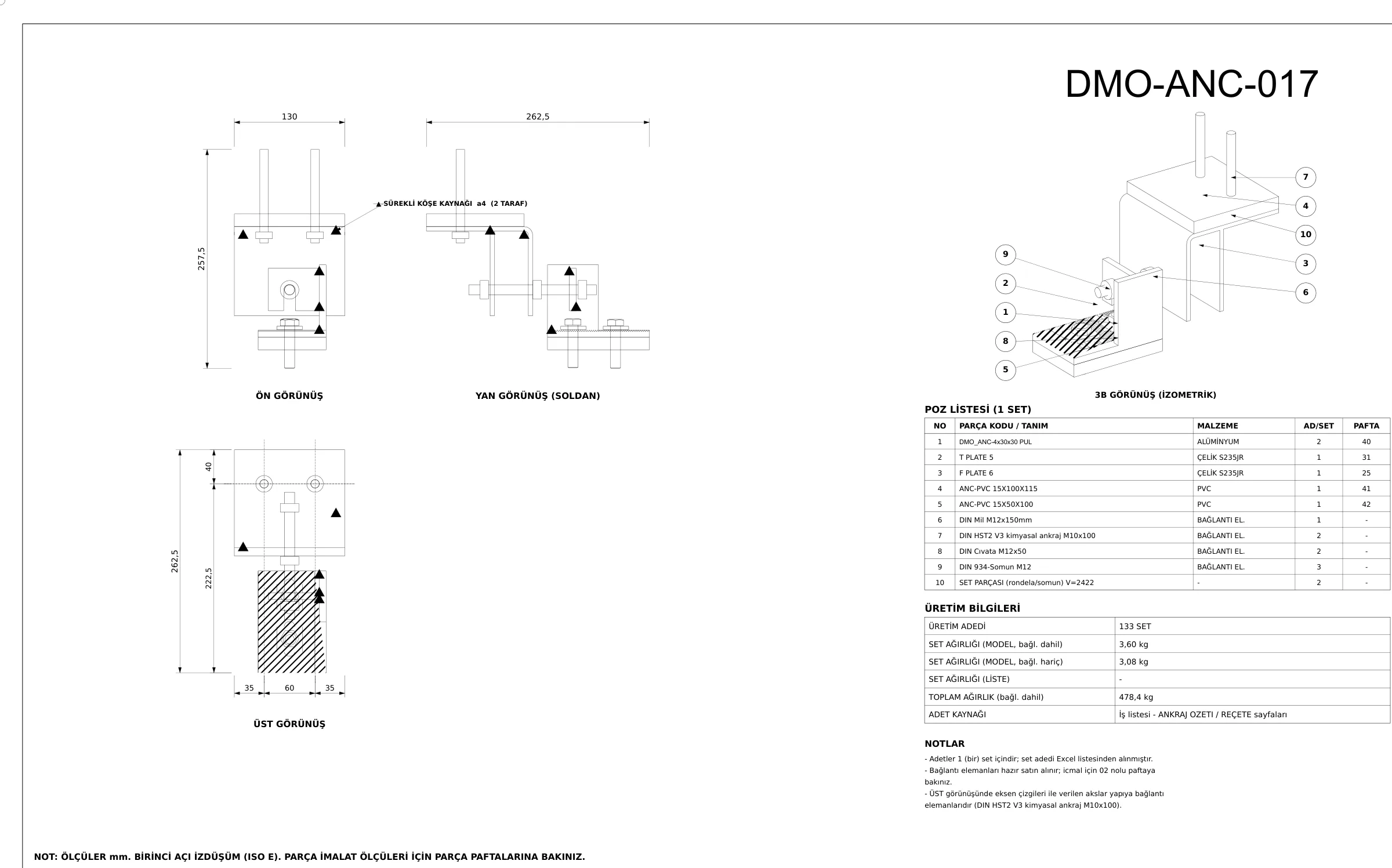
This is what the output looks like
The first sheet comes from one of the robot's real jobs, with the title block, project, client, personal and product names removed and codes changed to DMO-. Any other drawings come from a fictional demo project.
Whose work this robot makes easier
- 01
Engineering teams
Drop the job, get the result in a revision-numbered folder.
- 02
Engineer
Questions and the check report in one place.
- 03
Workshop
Sheets and forms in the same layout every time.
- 04
Planning
Job, sheet and weight summary in the fabrication log.
Ask about this robot
This section introduces the robots. Write to us to talk about what a robot does, its input and output, or to learn more.
Please mention
- 01Which robot you are interested in
- 02The kind and size of your work
- 03The file formats you have (STEP, DWG, XLSX…)
How we handle what you send us: Privacy notice.
Frequently asked questions
Is it a robot or a platform?
A platform: robot families such as anchors and profiles run on it, sharing the job queue, questions, check report and notices.
What does it do with an uncertain part?
It does not produce it; it asks a question with a proposal and produces the remaining parts. Once answered, the same revision is completed.
How are revisions tracked?
A changed model opens a new REV and a report of added, removed, re-shaped and re-counted parts; the previous revision is kept.
How can I learn more about the platform?
Write to info@archesign.studio.